Press
Slop Squash press kit
Lockups




Accessibility and contrast
Marks





The animated squash



Motion









Screenshots

contents
Everything here may be used to write about Slop Squash. Assets are in apps/web/public/press/
and served at https://slopsquash.com/press/<file>; the bundle is https://slopsquash.com/press/slopsquash-press-kit.zip.
Media questions: support@slopsquash.com. Creator and affiliate questions: affiliate@slopsquash.com.
X: @slopsquash.
What Slop Squash is
One line. Slop Squash flags posts, pictures and comments that look AI-made while you scroll. Tap the squash to see what raised the flag.
Short. Slop Squash is a free Chrome and Firefox extension that flags posts, pictures and comments that look AI-made while you scroll. Free reads Content Credentials declarations and generator metadata, checks writing patterns, then uses shared results from earlier checks and community reports. Pro can check OpenAI-issued signals through OpenAI’s verifier. When a score clears your sensitivity setting, a small circle with a bouncing squash appears on the post. Tap it to see what raised the flag. Pro ($9 a month or $96 once) collapses flagged content automatically and adds on-demand model rechecks.
Long. Feeds are filling with synthetic images and machine-written comments that most people cannot tell from the real thing. Slop Squash checks supported posts, pictures and comments as they approach the viewport, then marks the ones that clear the user’s sensitivity setting. It reads Content Credentials declarations and generator metadata, then checks shared results from earlier scans. Pro can ask OpenAI’s verifier about OpenAI-issued image signals; writing-pattern checks and community reports contribute their own signals. Each flag shows what moved the score and which checks could not run. A flag is our best guess, not a verdict. Slop Squash is free; Pro adds automatic hiding, per-site rules and on-demand model rechecks. It runs in Chrome and Firefox and is built on Cloudflare.
Facts. Launched 2026. Chrome and Firefox. Free tier with no account required. Pro $9/month or $96 lifetime. The creator program pays 30% of an eligible customer’s first payment after discounts and gives that customer 30% off the first month of Pro Monthly.
Why it matters (with sources)
- People cannot tell. In a 2025 Royal Society Open Science study, typical adults picked the AI-generated face in a pair only 30% of the time, and even "super-recognisers" managed 41%: both below chance, because AI faces were judged more real than real ones. Five minutes of training on rendering errors raised those figures to 51% and 64%. (Gray, Davis, Bunce, Noyes and Ritchie, Royal Society Open Science, 2025; https://pmc.ncbi.nlm.nih.gov/articles/PMC12606254/)
- Even faces you know. AI images of familiar people are now indistinguishable from photographs: across four experiments, participants could not reliably separate generated images of well-known faces from real ones, even when they knew the person's appearance. (Tree et al., Swansea University, Cognitive Research: Principles and Implications, 2025; https://link.springer.com/article/10.1186/s41235-025-00683-w)
- And people think they can. A 2026 UNSW and ANU study in the British Journal of Psychology found participants only slightly better than chance at spotting AI faces while remaining confident in their answers. The tell is no longer what is wrong with an image but "what is too right": AI faces are unusually average and symmetrical. (https://techxplore.com/news/2026-02-people-overconfident-ai.html)
- The volume is enormous. Google said at I/O 2026 that more than 100 billion pieces of content had been watermarked with SynthID since 2023. Adobe reports more than 24 billion assets generated with Firefly. Industry trackers put cumulative AI images above 30 billion since 2022, and estimates of daily output in the tens of millions; the share of new stock photography that is AI-generated is estimated near a quarter. (Google I/O 2026 keynote; Adobe; https://morphed.app/stats/how-many-ai-images-are-there; https://www.gradually.ai/en/ai-image-statistics/. Daily figures vary widely by source; treat them as estimates.)
- Watermarks alone do not solve it. Since May 2026 every ChatGPT image carries both a SynthID watermark and a C2PA manifest, and Google signs Gemini output the same way. But most social platforms strip metadata on upload, and Google's SynthID verifier is not available to third parties, which is why Slop Squash layers provenance, writing analysis, model rechecks and community reports rather than relying on any one signal. (https://openai.com/index/advancing-content-provenance/; https://deepmind.google/models/synthid/)
Brand
Name. Written Slop Squash: two words, each capitalised, in all prose and headings. The one-word form slopsquash appears only in the domain, the X handle and code. Never "Slopsquash", "SlopSquash" in prose, "SLOP SQUASH", "Slop-Squash" or "the Slop Squash extension" (just "Slop Squash").
Logo. The mark is the squash: a terracotta gourd with a sage stem, sitting on a pale circle. Use it in one of two ways:
- The mark alone (
mark.svg,mark-*.png;squash.svgandsquash-*-transparent.pngfor the gourd without its circle, for example as a favicon or on a cream ground). - The lockup: the mark followed by the wordmark "Slop Squash" in Bricolage Grotesque 800
(
lockup-horizontal.svg,lockup-horizontal-*.png,lockup-stacked-*.png).
Never set the wordmark alone without the mark, never recolour the squash, never rotate it (it jumps; it does not tilt), and keep clear space of at least the stem's height around the mark. Minimum size 24px for the mark, 120px wide for the lockup.
The animated squash. squash-jump.gif (512px, cream ground), squash-jump-128.gif,
squash-jump.webp and squash-jump.apng (transparent). This is the same bounce the
extension uses to ask for attention. Loop it; do not slow it down. Longer clips, including
lockup transitions for video, are under "Motion" below.
Colour.
| Role | Hex | Use |
|---|---|---|
| Cream (ground) | #f5ead8 |
Page and card backgrounds |
| Surface | #ebddc5 |
Secondary panels |
| Ink | #201e1d |
Text, wordmark |
| Terracotta (accent) | #c67139 |
Squash body, primary buttons, links |
| Sage (second accent) | #7a8a5e |
Stem, tags, confirmations |
| Squash pale | #fff2eb |
The circle behind the mark |
| Hero yellow | #ffd631 |
Hero panel and social card |
| Hero orange | #ff711a |
"Squash it." |
| Flag coral | #e8590c |
Confidence bars, the AI verdict |
Type. Headlines and wordmark: Bricolage Grotesque, weight 800, tight tracking. Body: Figtree. Both are open Google Fonts.
Voice. Plain, short, a little dry. "Your feed is full of slop. Squash it." No exclamation marks, no scare language. A flag is a best guess and we say so.
Accessibility and contrast
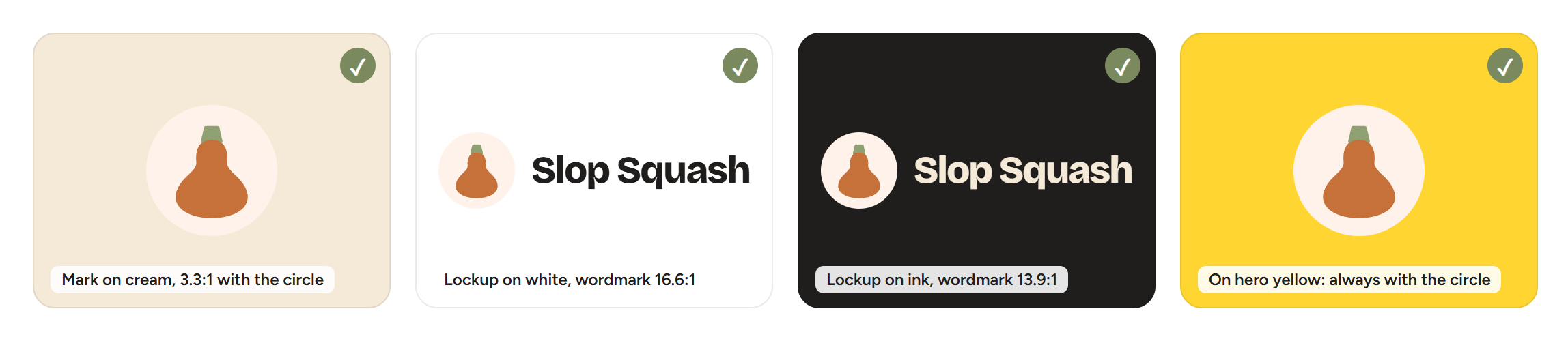
The logo must be visible to people with low vision and on any screen, so it follows WCAG 2.2: graphical parts of the mark need at least 3:1 against what is behind them (success criterion 1.4.11), and the wordmark, as text, needs at least 4.5:1 (1.4.3). The pale circle behind the squash exists to guarantee the first rule: it is part of the mark, not decoration.
Measured contrast of the logo colours (WCAG relative luminance):
| Element | Cream #f5ead8 | White #ffffff | Pale circle #fff2eb | Ink #201e1d | Hero yellow #ffd631 | Terracotta #c67139 | Sage #7a8a5e |
|---|---|---|---|---|---|---|---|
| Terracotta body #c67139 | 3.0:1 | 3.6:1 | 3.3:1 | 4.6:1 | 2.6:1 | 1.0:1 | 1.0:1 |
| Sage stem #7a8a5e | 3.1:1 | 3.7:1 | 3.4:1 | 4.4:1 | 2.7:1 | 1.0:1 | 1.0:1 |
| Ink wordmark #201e1d | 13.9:1 | 16.6:1 | 15.1:1 | 1.0:1 | 11.8:1 | 4.6:1 | 4.4:1 |
| Cream wordmark #f5ead8 | 1.0:1 | 1.2:1 | 1.1:1 | 13.9:1 | 1.2:1 | 3.0:1 | 3.1:1 |
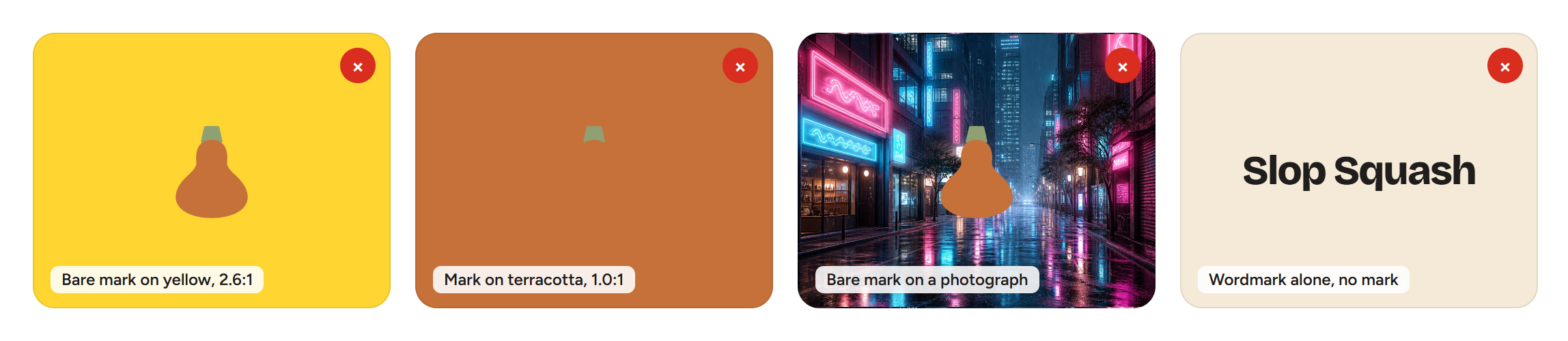
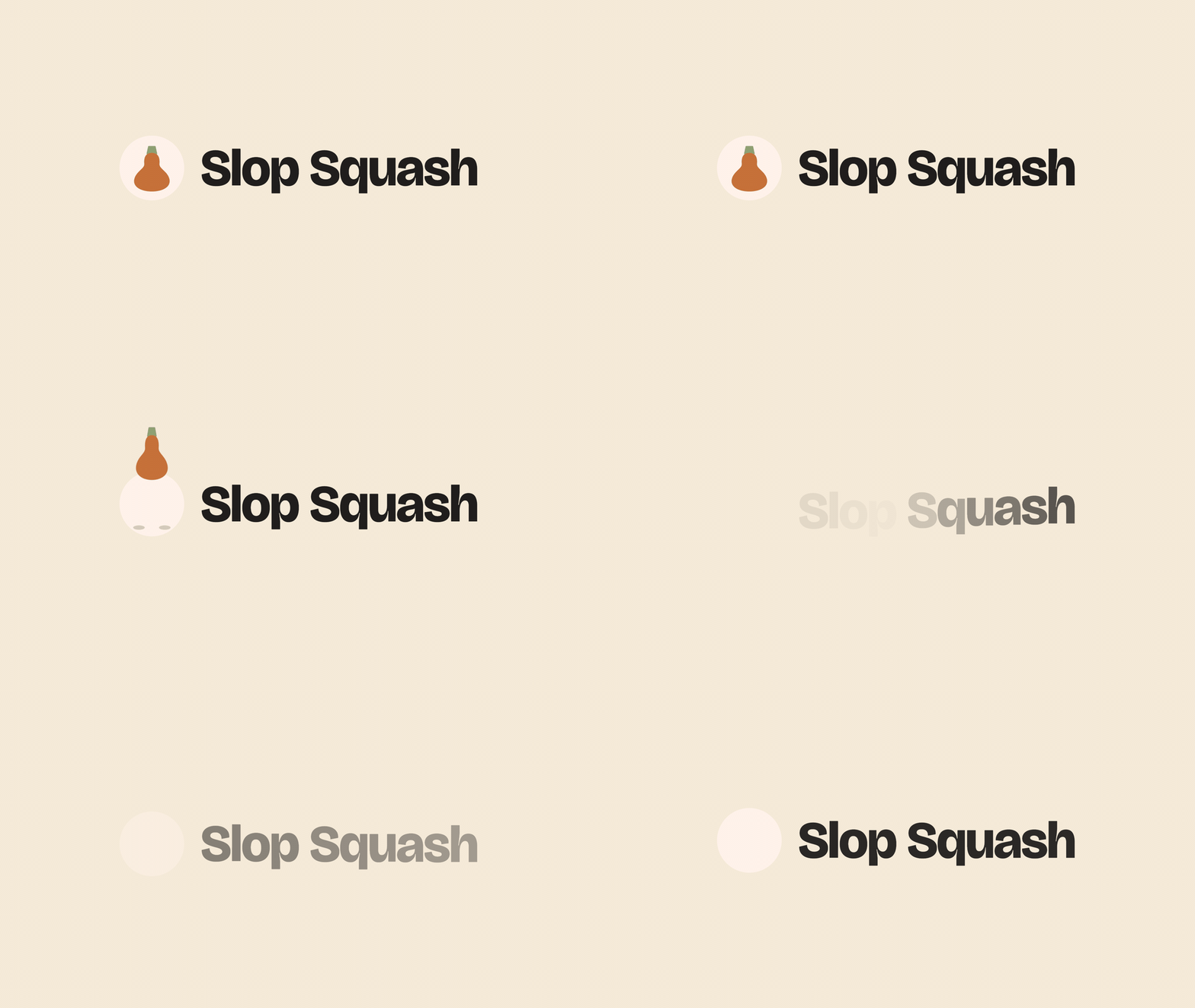
Rules that follow from the table (logo-contrast-approved.png and
logo-contrast-avoid.png show them):
- Approved backgrounds: cream, white, ink, and the pale circle. The mark with its circle passes everywhere; the ink wordmark is used on light grounds and the cream wordmark only on ink.
- On hero yellow, photographs, or any coloured ground, the mark keeps its pale circle. The bare squash is 2.6:1 on yellow and fails; inside the circle it is 3.3:1 and passes.
- Never place the mark on terracotta or sage (1.0:1: it disappears), and never on a busy photograph without the circle.
- Never the wordmark alone. Beyond the brand rule, the mark is what carries recognition at small sizes; the wordmark on its own is just text.
- The bare
squash.svgandsquash-*-transparent.pngare for favicons and cream or white grounds only; usemark.svg/mark-*.png(with the circle) everywhere else. - Minimum sizes: 24px mark, 120px-wide lockup. Below that the stem is lost and the contrast of thin edges drops.
- Do not add strokes, glows, or drop shadows to fix a bad background; change the background or use the circle.
Product screenshots
Screenshots may be cropped but not altered. The feed, the video site and the accounts in them are staged; the photographs are AI-generated, which is the point.
| File | Size | What it shows |
|---|---|---|
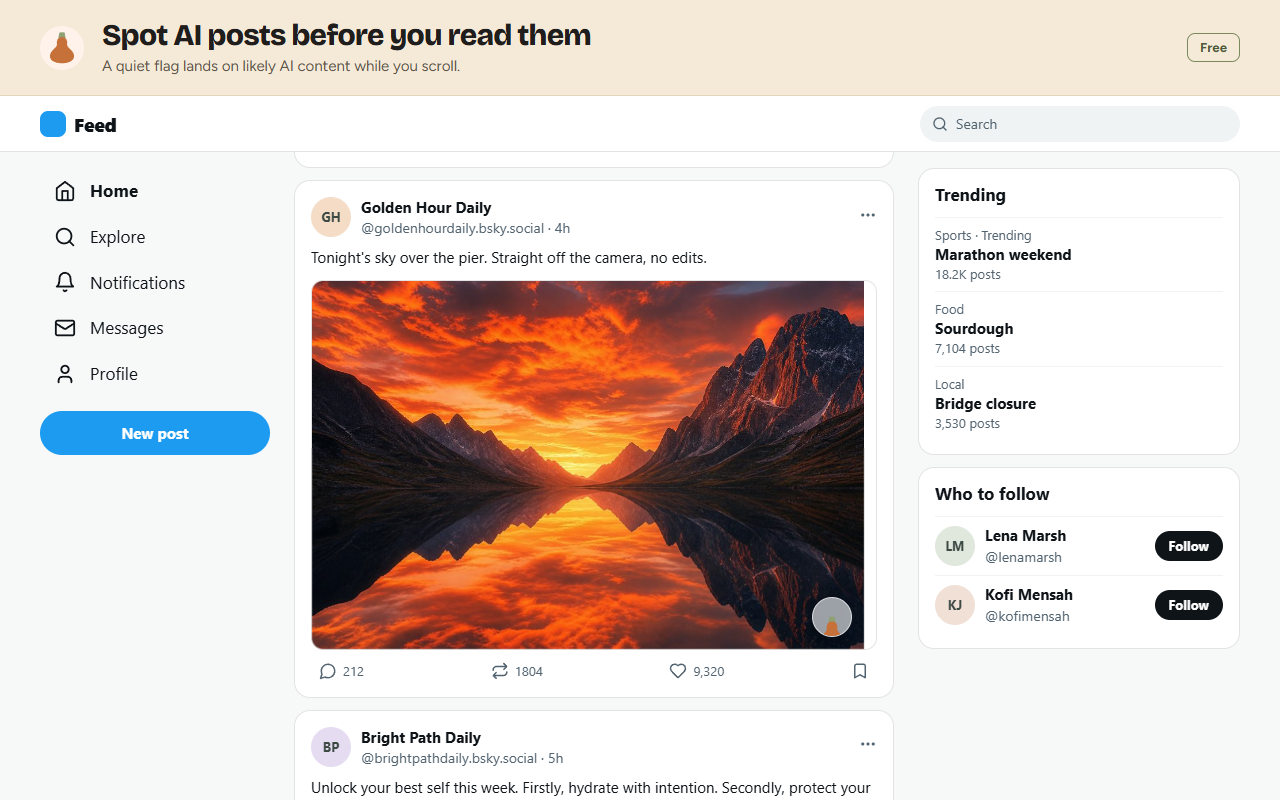
screenshot-feed-flag.png |

1280x800 | A social feed with the flag on a flagged post: the frosted circle with the squash at the bottom-right of the image. Free tier. |
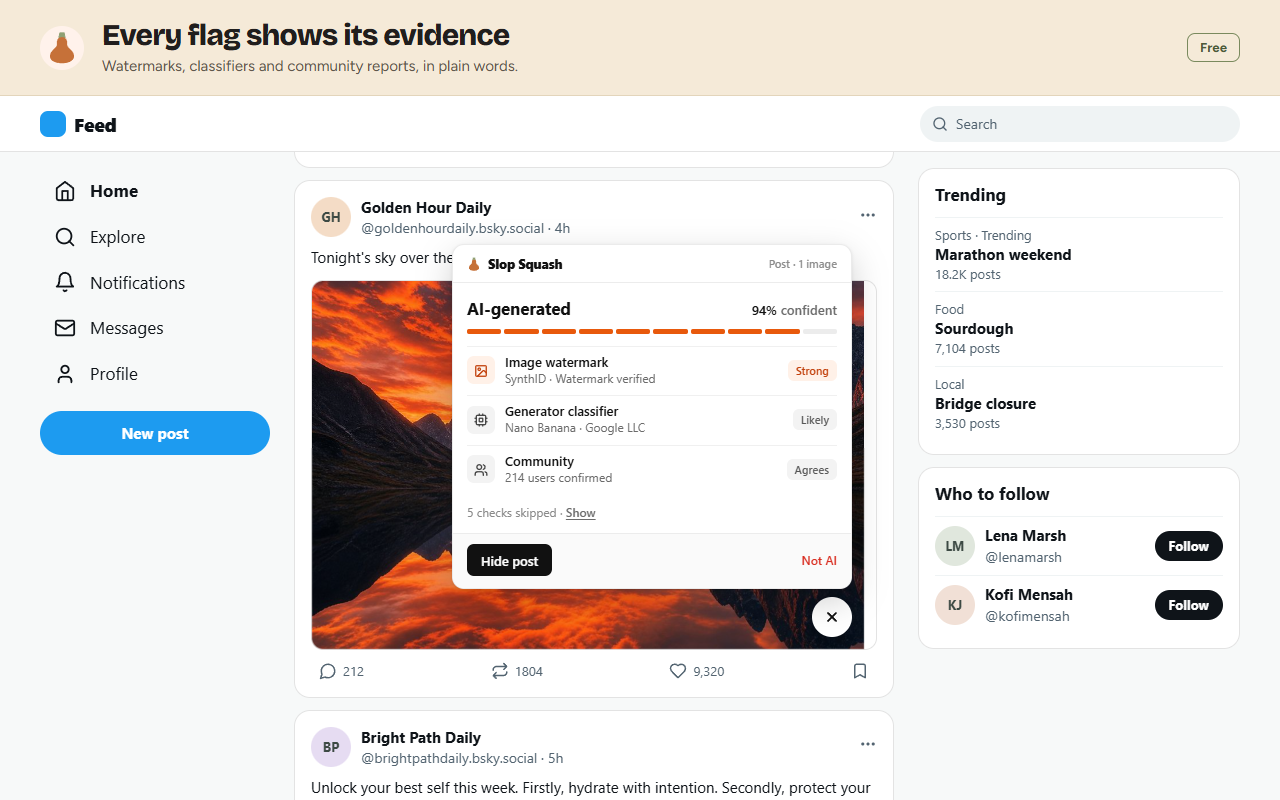
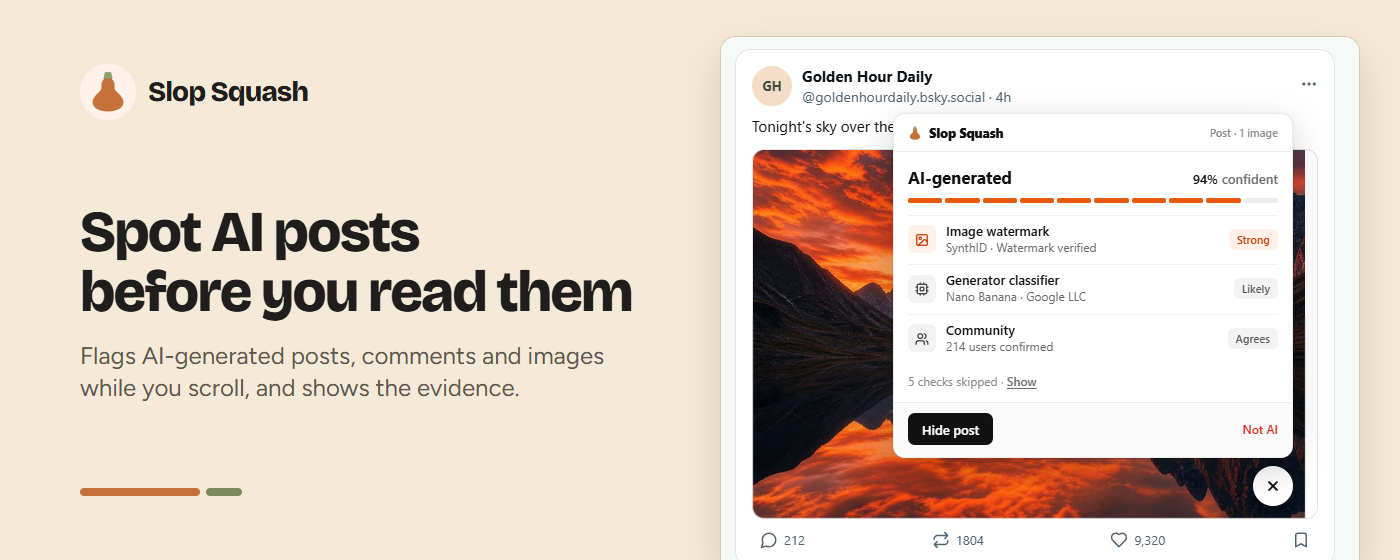
screenshot-modal-evidence.png |
1280x800 | The flag tapped open: "AI-generated, 94% confident", the ten-segment bar, and the evidence rows (image watermark: SynthID verified, strong; generator classifier: Nano Banana, likely; community: 214 users confirmed), "5 checks skipped", "Hide post" and "Not AI". |
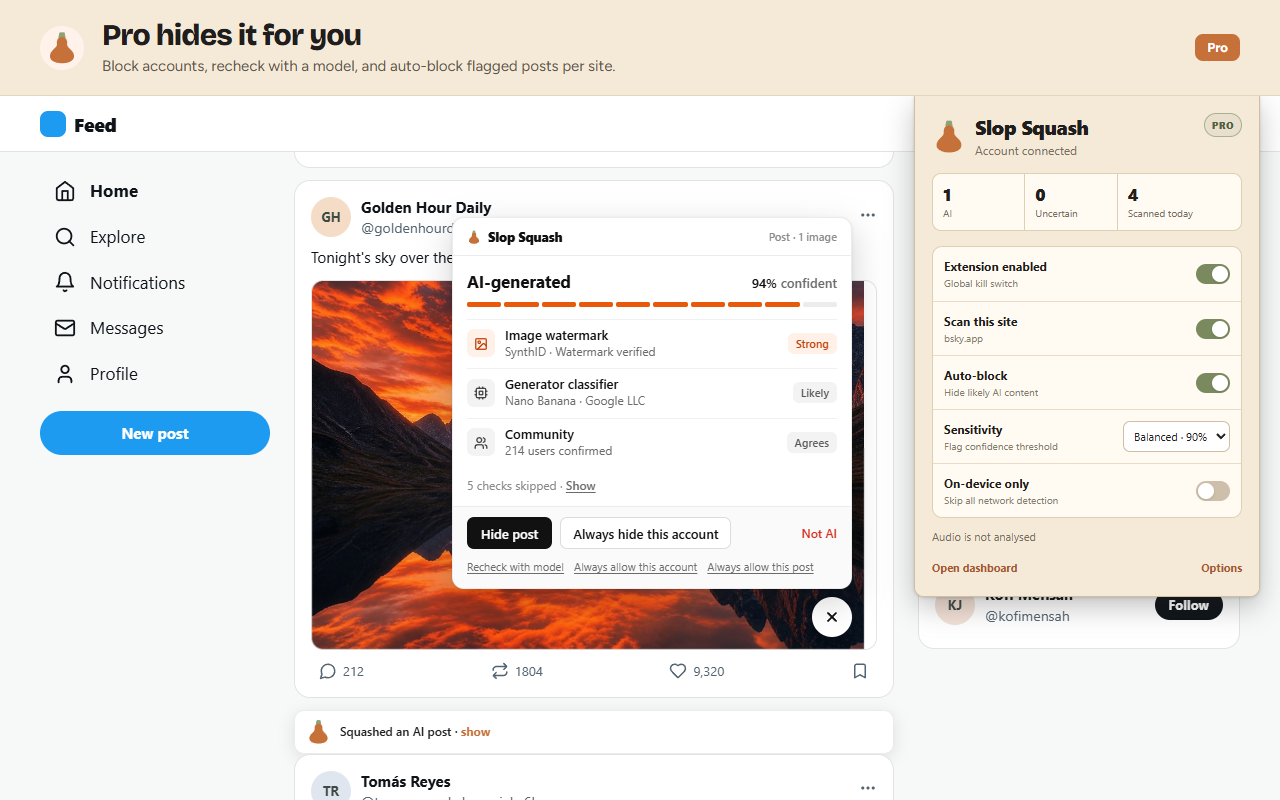
screenshot-pro-controls.png |
1280x800 | The same post on Pro: "Always hide this account" and "Recheck with model" in the card, the popup with Auto-block on, and a hidden post collapsed to "Squashed an AI post · show". |
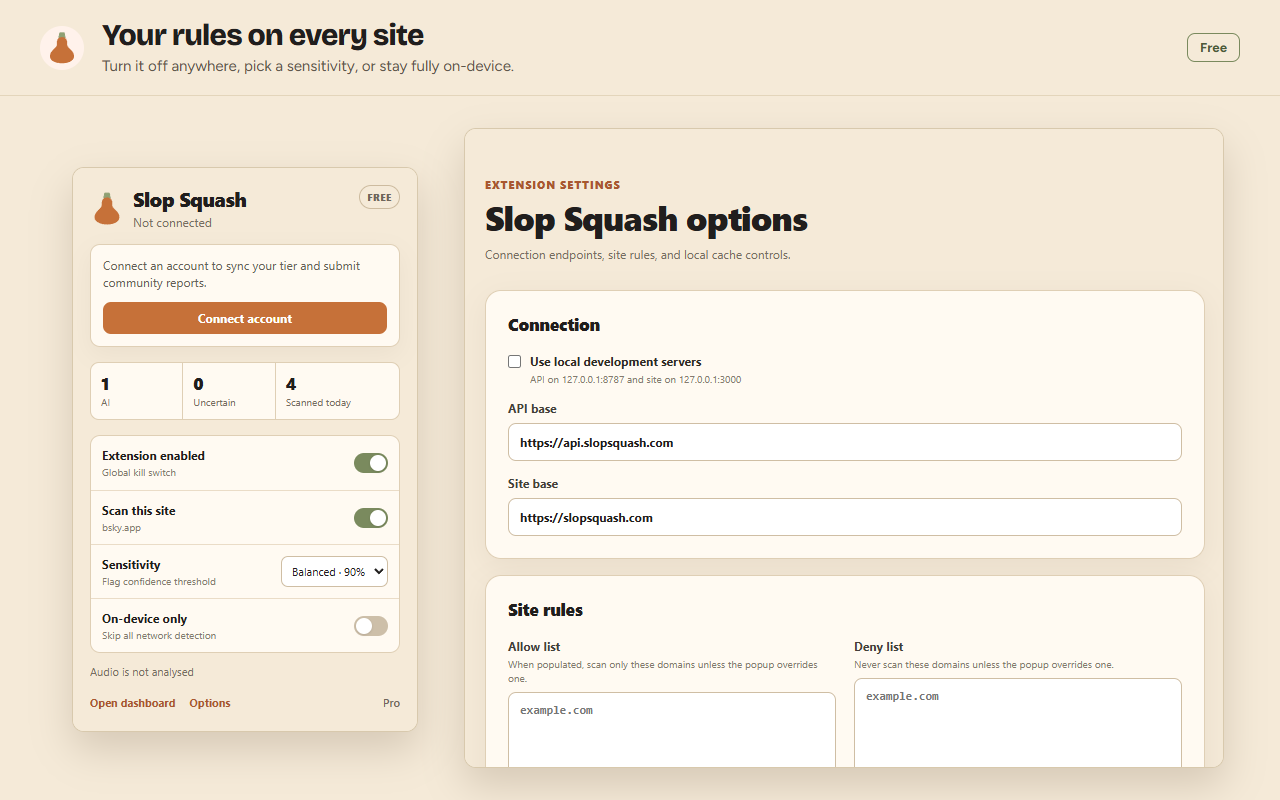
screenshot-popup-options.png |
1280x800 | The extension popup (scan counts, Extension enabled, Scan this site, Sensitivity, On-device only) beside the options page (endpoints, allow and deny lists). |
screenshot-video-grid.png |
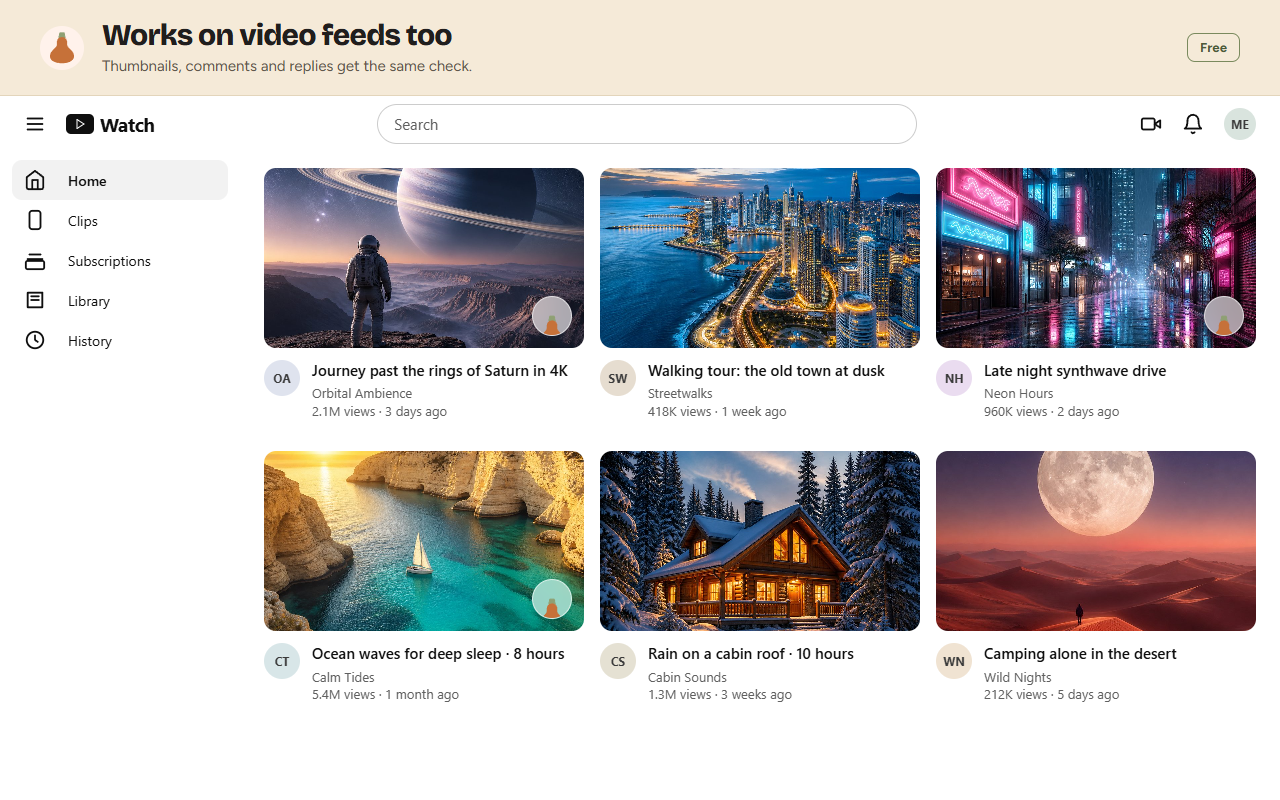
1280x800 | A video site's grid with flags on three thumbnails. Thumbnails, comments and replies get the same check. |
screenshot-home.png |
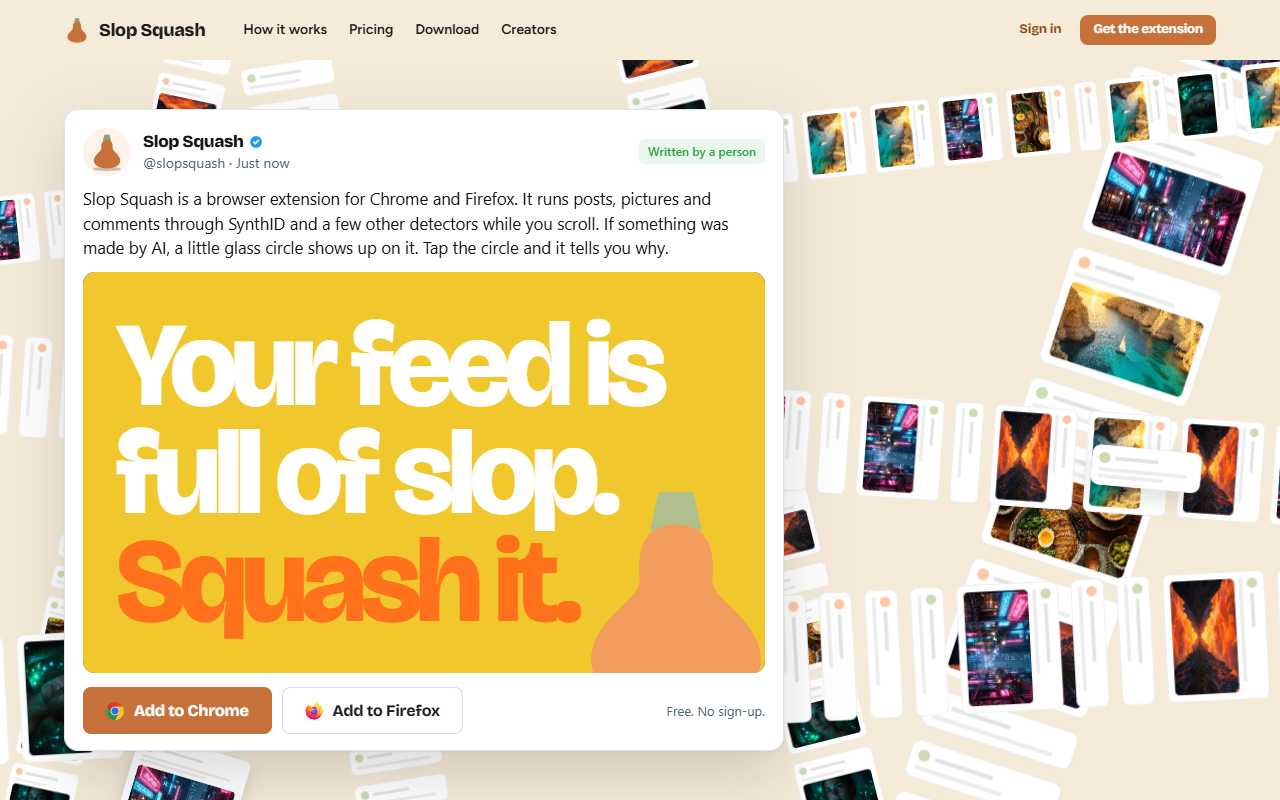
1280x800 | The landing page. |
screenshot-demo.png |
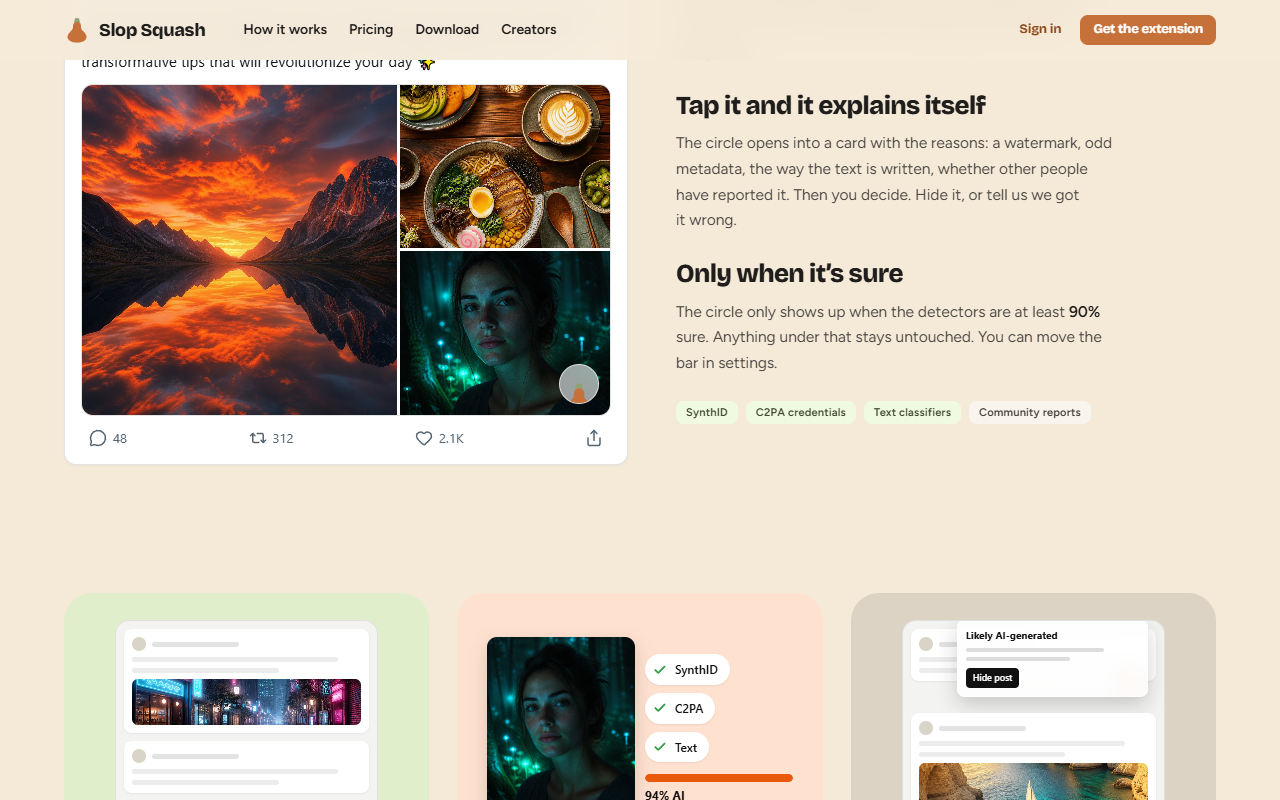
1280x800 | The landing page's demo post with the flag. |
screenshot-extension-modal.png |
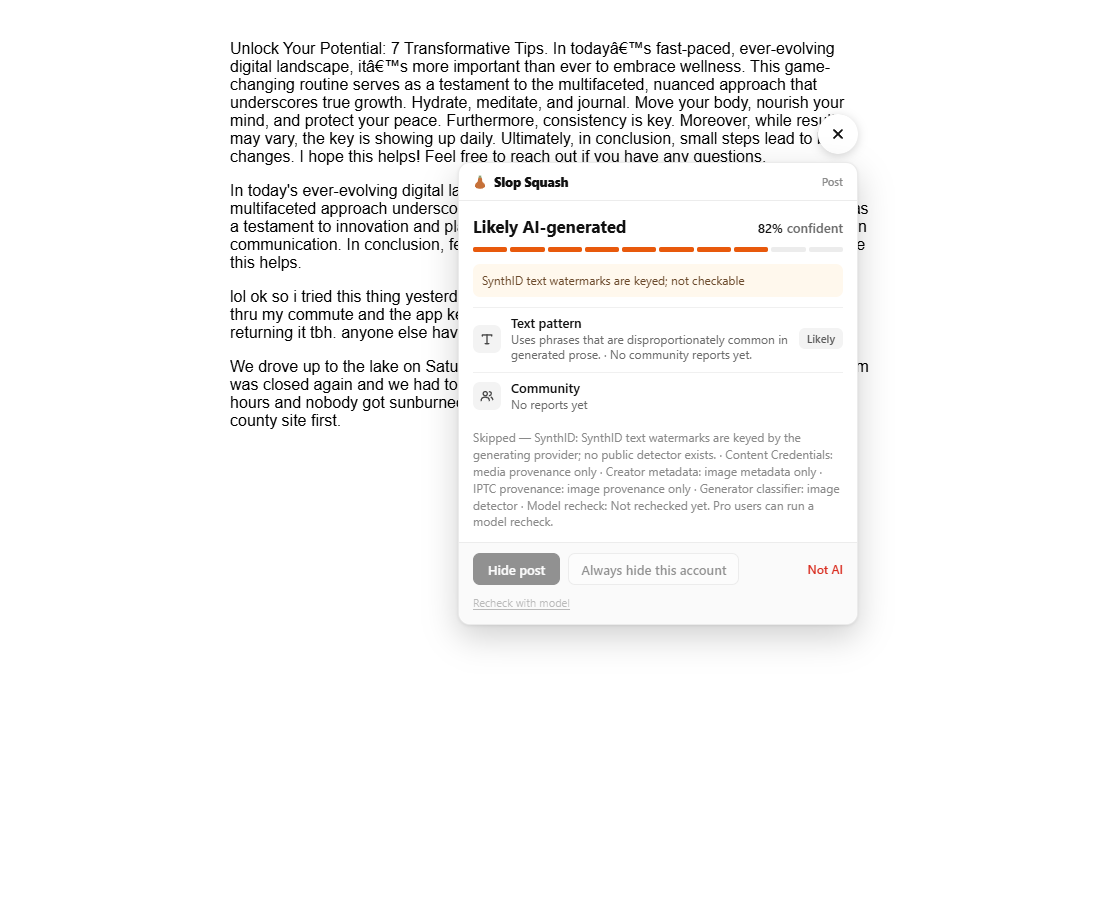
1100x900 | The extension's explanation card on a real page. |
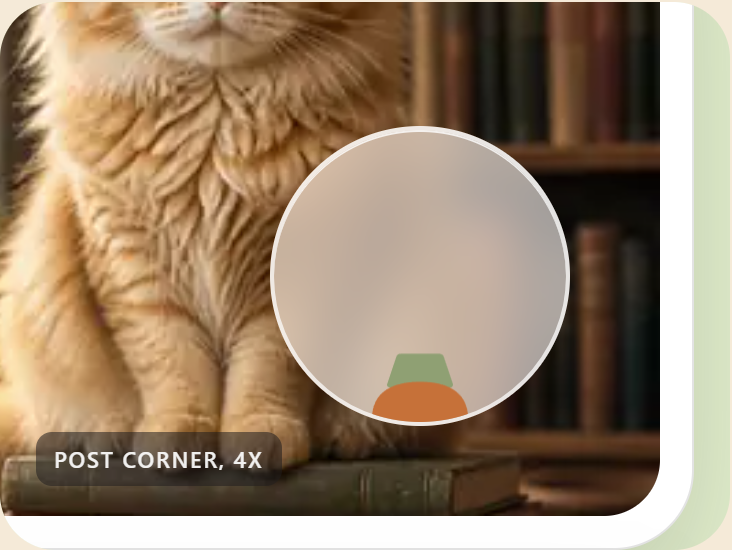
scene-1-corner.png |

732x550 | "It checks as you scroll": a post corner at 4x with the flag condensing in. |
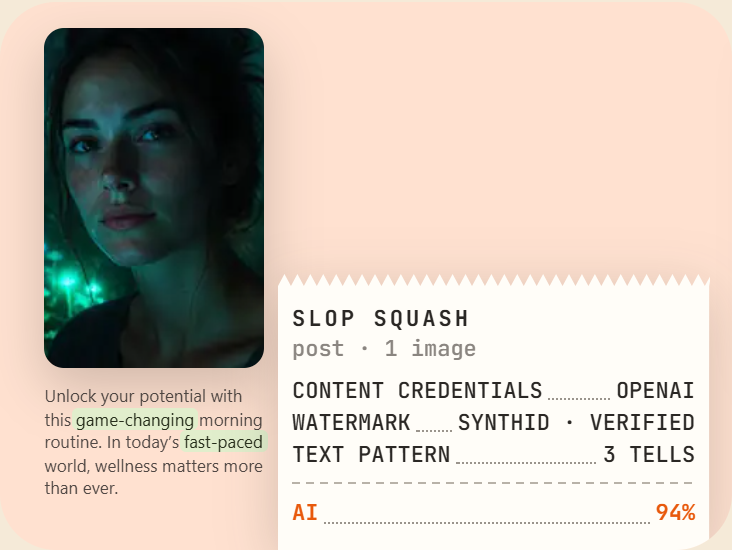
scene-2-receipt.png |
732x550 | "It runs the detectors": the x-ray band over a portrait and the till receipt (Content Credentials, watermark, text pattern, AI 94%). |
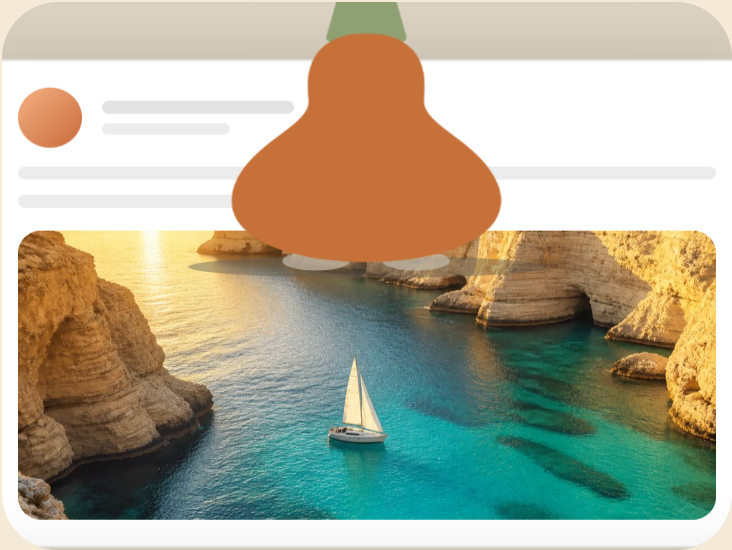
scene-3-squash.png |
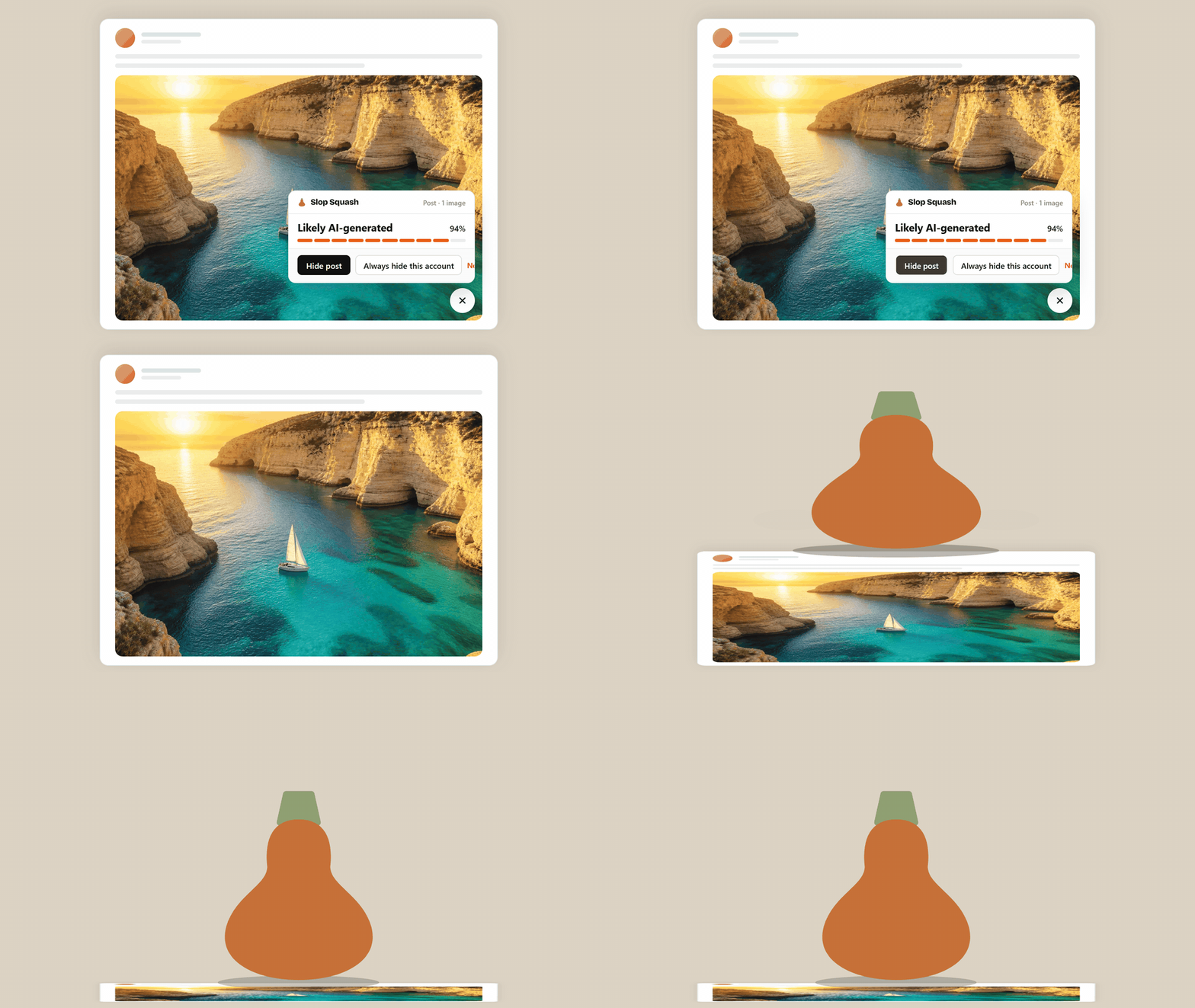
732x550 | "It flags. You decide.": the squash at full size sat on a flattened post. |
banner-1400x560.png |
1400x560 | Store listing banner: the lockup, "Spot AI posts before you read them", and the demo post with its card open. |
social-card.png |
1200x630 | The share image. |
Motion
Eight clips at 25 fps, rendered from the same CSS the site and the extension use. GIF and animated WebP are 960x540; MP4 (H.264, yuv420p) and WebM are 1920x1080. Play them at speed: do not slow the squash down, and do not recolour or crop the lockup.
| File | What happens | Length | Ground | Formats | Loops |
|---|---|---|---|---|---|
transition-cream |
Solid cream for 0.4s; the wordmark's letters rise and fade in; the squash drops in from above and lands on its circle with one squash-and-stretch; the lockup holds for 0.8s. | 2.4s | Cream #f5ead8 |
GIF, WebP, MP4 | No |
transition-yellow |
The same on hero yellow with the ink wordmark. | 2.4s | Hero yellow #ffd631 |
GIF, WebP, MP4 | No |
transition-ink |
The same on ink with the cream wordmark; the squash is unchanged. | 2.4s | Ink #201e1d |
GIF, WebP, MP4 | No |
transition-cream-alpha |
The same with a transparent ground, for use over your own footage. | 2.4s | Transparent | APNG (960x540), WebM VP9 with alpha (1080p) | No |
transition-out |
The lockup holds 0.5s; the squash winds up and hops out of the top of the frame; the letters drop and fade; solid cream for the last 0.8s. | 2.0s | Cream | GIF, WebP, MP4 | No |
flag-reveal |
A post corner at 4x. The frosted circle condenses out of nothing at the bottom-right of the image (blur to sharp, 400ms), the squash inside gives one bounce, the flag holds, and the feed scrolls to the next post. | 3.0s | Sage #e1eecc |
GIF, WebP, MP4 | Yes |
receipt-print |
The x-ray band sweeps down a portrait while a till receipt prints upward from the bottom of the frame: SLOP SQUASH, CONTENT CREDENTIALS, WATERMARK, TEXT PATTERN, then the AI 94% total counts up. The receipt tears off and the frame resets. | 5.0s | Peach #ffe1d0 |
GIF, WebP, MP4 | Yes |
squash-hide |
A post with its card open. "Hide post" is pressed, the card and circle go, the squash comes down at full size and flattens the post under it with dust and a shadow, then sits on what is left. | 3.0s | Neutral #dcd3c4 |
GIF, WebP, MP4 | No |
squash-jump |
The bouncing squash on its own (see "The animated squash"). | 3.0s | Cream, or transparent | GIF, WebP, APNG | Yes |
Using the transitions. Cut on the solid frame. transition-cream (or yellow, ink) opens on
0.4s of flat colour and ends on a still lockup, so cut from your footage into its first frame and
out of its last, or hold the last frame as long as you need. transition-out starts on that same
lockup and ends on 0.8s of flat cream: use the pair to bookend a segment (in, your footage, out),
or put transition-cream-alpha over your own picture. Chrome, Firefox and most editors read the
WebM alpha; the APNG is for the web. Nothing loops in the transitions; flag-reveal and
receipt-print loop cleanly.
To re-render the clips: node apps/web/scripts/press-animations.cjs (Playwright, Chrome and ffmpeg
required); --zip rebuilds the bundle.
Boilerplate
Slop Squash is a free Chrome and Firefox extension that flags posts, pictures and comments that look AI-made while you scroll. Tap the squash to see what raised the flag. Free reads Content Credentials declarations and generator metadata, checks writing patterns, then uses shared results. Pro adds OpenAI-issued provenance checks, automatic hiding, per-site rules and on-demand model rechecks for $9 a month or $96 once. Learn more at https://slopsquash.com.